Create the stay
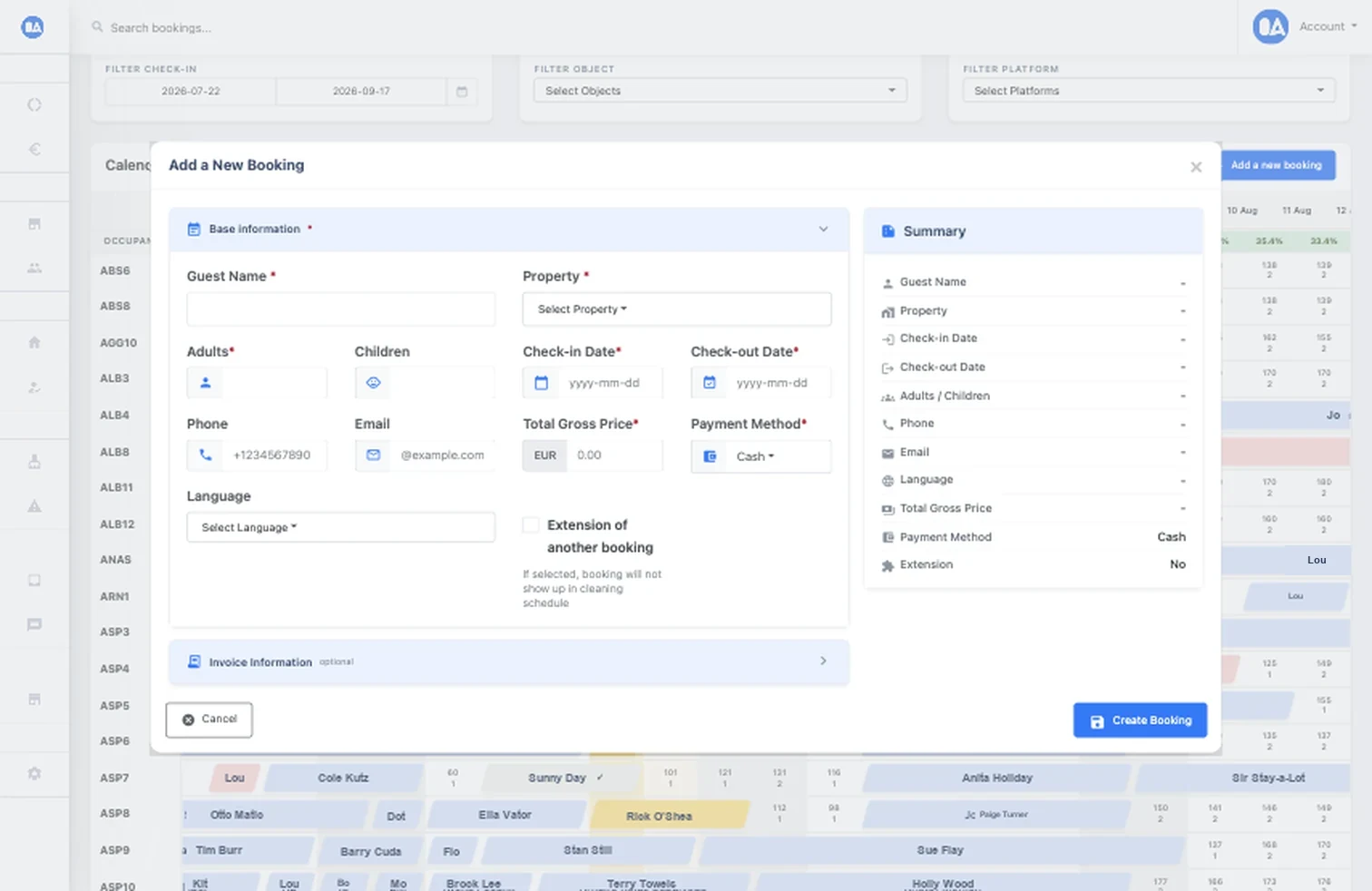
Select the property and dates, add guest and price details, reuse a returning guest when appropriate, and review the live summary.
Direct revenue
Create a reservation, protect its dates, collect payment through Stripe, and prepare the guest invoice without rebuilding the booking in separate tools.
 PDF invoices
What it solves
Manual direct bookings often leave availability, guest details, payment follow-up, and invoices spread across tools. OkupAI keeps those steps attached to the stay and closes supported channel availability for the selected dates.
How it works
Build the stay, request or record payment, and keep the resulting invoice with the booking.
Select the property and dates, add guest and price details, reuse a returning guest when appropriate, and review the live summary.
Generate a Stripe Checkout link, share extra-payment links, monitor status, and regenerate an expired link when needed.
Generate a PDF invoice, download or share it, and create a corrected version when booking or billing details change.
Built into the workflow
The direct reservation occupies the selected dates so connected availability can be updated alongside OTA stays.
Track pending and completed Stripe links from the reservation rather than reconciling links in a separate list.
Keep invoice numbers, PDFs, downloads, sharing, and documented correction workflows connected to the underlying stay.
Inside OkupAI
The booking form brings guest, stay, pricing, payment, extension, and optional invoice information into a single reviewable workflow.
Your next connected workflow
Start with the booking form, then connect Stripe and invoice settings for your direct-sales workflow.
Try for free Read the documentation