Configure the property flow
Select required guest, ID, arrival, invoice, and property-specific fields, then preview the form for desktop or mobile.
Pre-arrival experience
Collect guest, ID, arrival, and invoice details before arrival, then give each stay a branded hub for instructions, recommendations, and configured add-ons.


 Guest map and services
What it solves
Guest details, registration data, arrival questions, and property instructions are often exchanged across forms and messages. OkupAI connects the pre-arrival form with the booking and a guest-facing stay hub.
How it works
Choose what each property needs, collect the information before arrival, and publish the useful details guests need during the stay.
Select required guest, ID, arrival, invoice, and property-specific fields, then preview the form for desktop or mobile.
Send the secure check-in link, track completion, and review submitted information with the associated booking.
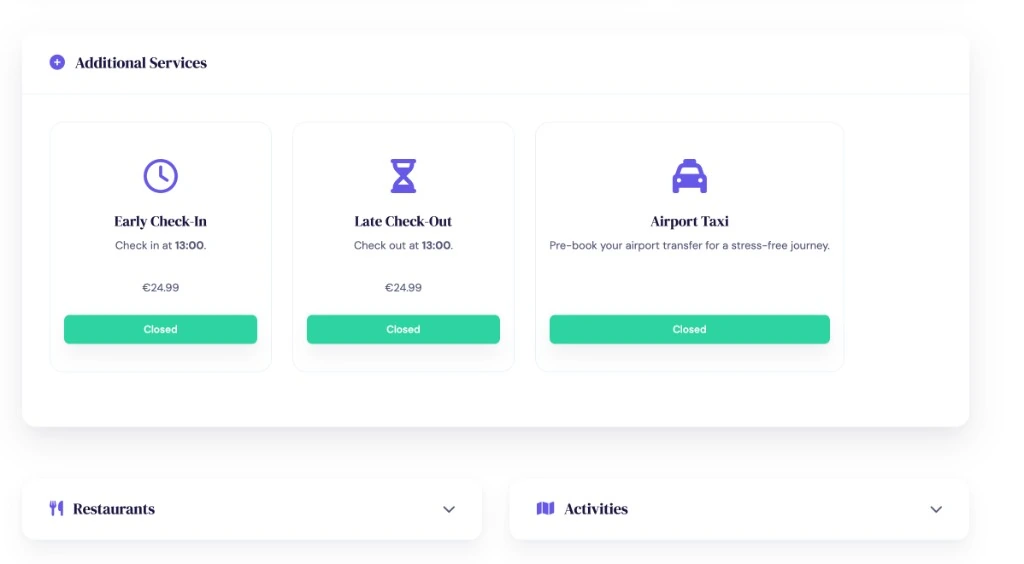
Present configured instructions, Wi-Fi, parking, taxi, restaurants, activities, media, and eligible additional services in the guest map.
Built into the workflow
Keep guest, identity, arrival, departure, request, and invoice information attached to the relevant reservation.
For eligible properties and regions, pass supported registration data into the configured Feratel workflow.
Give guests one branded place for trip details, property guidance, recommendations, and configured paid or informational services.
Inside OkupAI
After the form is completed, guests can return to a branded portal with trip details, instructions, services, recommendations, and a direct-booking prompt.
Your next connected workflow
Start with the online check-in fields your operation needs, then shape the guest map for each property.
Try for free Read the documentation